↵Open
24social changelog
Clearer events, safer publishing and more reliable mobile pages
Improvement
Fix
New feature
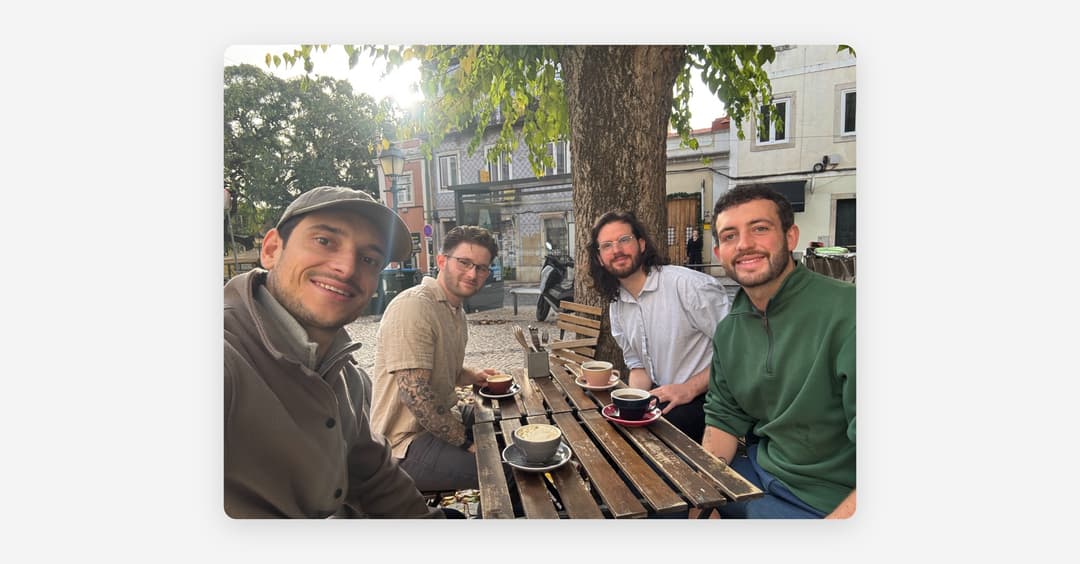
Our team gathered at the start of this week to attend the Web Summit in Lisbon. We came back energised, full of ideas and ready to make everyday work in 24social a little clearer and smoother.
This update helps visitors understand events more quickly, gives editors more predictable control and makes public pages feel steadier on mobile. Here’s what’s new.
Events that are easier to discover
Clearer event categories and tags
Event cards and event pages can now show the event category and relevant tags, helping visitors understand what’s on at a glance.
Keep hand-picked events visible
Events chosen directly in an Events block stay in the block even when they fall outside its usual search results. Editors can curate a selection without an event unexpectedly disappearing.
More accurate information for dated events
When someone opens a particular date in a repeating event series, search engines now receive structured information for that selected occurrence rather than another date in the series.
Read the guide to creating and managing events.
Safer, clearer editing
Use a clearer label for venue search
Editors can add an optional label to the search field in a Place Listings block, so the wording can better match the journey on that page.
Sports imports respect publishing approval
Managers whose work requires approval can import sports fixtures for review without bypassing the usual publishing step. Approvers remain in control of what goes live.
Read the venue manager guide to sports fixtures.
Less internal detail in the event editor
Venue managers no longer see the internal event-timezone setting they are not expected to change, keeping the editor focused on the information they actually need.
Faster, smoother public websites
Faster, lighter first visits
Public pages now avoid loading the map library unless a map is shown, load only the relevant desktop or mobile hero image, and defer booking-provider code until a visitor opens the booking panel. This reduces initial page weight and browser work, supporting improved PageSpeed and Lighthouse performance.
More stable pages and clearer headings
Pages reserve the right space for announcement banners while content loads, reducing unexpected movement at the top of the screen. Page banners also follow a clearer structure, with one main heading and supporting headings where needed.
Mobile navigation that feels natural
Navigation opens from the same side as its menu button across supported layouts.
Cleaner sitemap and AI discovery files
Public sitemaps and AI-readable site summaries are cached closer to visitors and refreshed after relevant CMS changes. URLs that redirect elsewhere are left out, keeping discovery files focused on the final public destinations.
Shared content stays in sync
Published pages that use a shared content block now refresh when that block changes, helping updates appear consistently everywhere it is used.
Media made simpler
Add files without leaving your content
Editors can now choose images, audio, PDFs and other files directly from Assets while working in a rich-text field. Pick something already in the library or upload a new file without copying and pasting a separate URL.
A clearer home for video
Videos now have their own simple URL control, so YouTube, Vimeo and direct video links stay separate from uploaded files and are easier to find.
Read the guide to creating, editing and publishing content.
Customer action
No general action is required. The Place Listings label is optional, and existing content and assignments remain unchanged unless an editor chooses to update them.